The invitation and the gifts, in one link
Pick a theme, add what your child wants and send the link to the class group. Guests answer without an account and pick their gift.
Make a list, it's freeYou see which gifts were taken. Who brought them, you find out at the party.
Type the name. The invitation is ready.
It's exactly the picture you send to the group. You choose the day, the time and the place. The QR code opens the list.
Ready in four steps
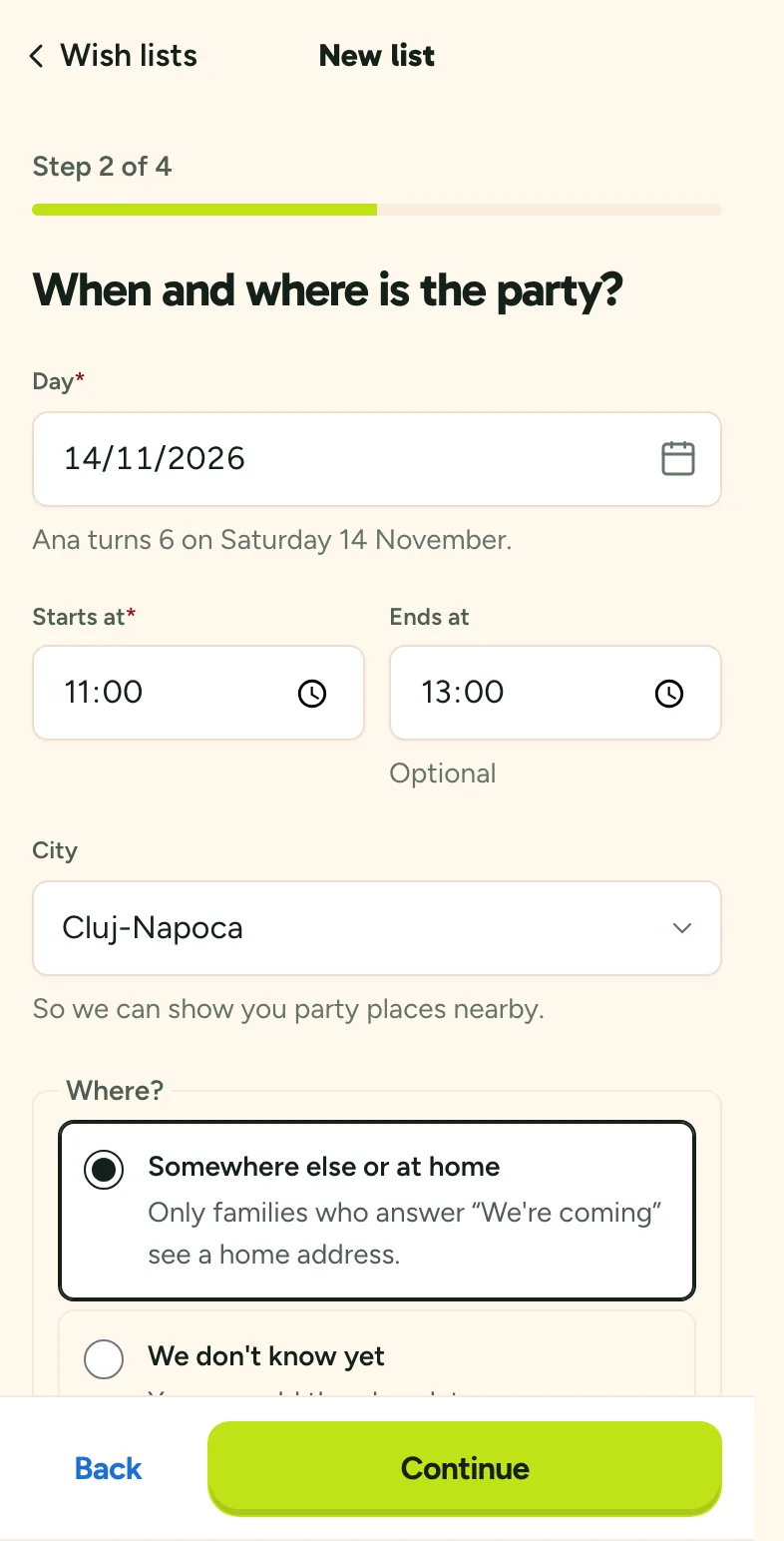
First, the child and the party
You sign in with a code by email, then tell us the child's birthday and the party's day and time. The place can be home, a play venue or “not sure yet”.
Made for the class group
Guests answer without an account
They tap “We're coming” or “We can't” and that's it. They only make an account to take a gift.
Nobody takes the same gift
A gift taken shows as taken for everyone. No three painting sets.
You see what was taken, not who
The surprise stays for the party. We don't tell you who brought what, not even afterwards.
No prices
The list shows what your child wants, not what it costs. Everyone gives what they like.
The address, only for those coming
If the party is at home, the address shows only after a guest answers “We're coming”.
From any shop
Paste the gift's link. Guests open it straight from the list.
Free
You pay nothing. We sell nothing through the list.
Not sure what to put on the list?
We have gift ideas for every age, from 1 to 12. No prices and no particular shops.
All the gift ideas
Questions from parents
- How much does it cost?
- Nothing. The wish list is free and will stay free.
- Do I need an account?
- You do: sign in with a code sent by email, or with Google, Apple or Facebook. Guests answer without one. They only make an account when they take a gift, so nobody else takes it.
- What do guests see?
- The invitation, the day, the time and the place, the wish list and what's already been taken. They see a home address only after answering “We're coming”.
- What can I put on the list?
- A link from any shop, an idea that suits the age or just a line you write, with as many of each as you like.
- What happens after the party?
- The list stays yours until you delete it. If you tick the box, we remind you next year to make a new one.
- Why is it free?
- Kidli is the app where you find and book play venues and parties for children. The list is how we get to know each other. If you like it, you'll find us easily when you look for the next party's venue.
- Who sees the list?
- Only people who have your link. The list doesn't show up in searches and we never ask for a photo of your child.
Make the list for your child's birthday
The invitation, the answers and the gifts, in one link. Free.
Make a listWe're launching the app soon, with play venues and parties for children. Let me know